
Protobuf vs JSON: The Secret to Boosting C# Server Performance by 10x #
When developing servers, there is an inevitable concern: “How can we send data smaller and faster?”
JSON is human-readable and versatile, but for game servers or microservices environments handling massive traffic, that ‘heavy text’ often becomes a cause of bottlenecks. Today, we will explore Protocol Buffers (Protobuf), created by Google to solve this problem, and why it is an essential technology for high-performance C# server development.
1. What is Protocol Buffers (Protobuf)? #
Protocol Buffers (Protobuf) is a data serialization framework developed by Google. Simply put, it is like a ’language’ used when exchanging data between different systems (e.g., C# server and Python client).
Decisive Difference from JSON #
The biggest difference lies in the form of the data.
- JSON/XML: Human-readable Text format.
- Protobuf: Computer-friendly Binary format.
Although humans cannot read it, it boasts overwhelming performance because it is a structured format that costs almost nothing for computers to parse.
2. Why Use Protobuf? (Key Advantages) #
① Overwhelming Performance and Efficiency (3-10x vs JSON) #
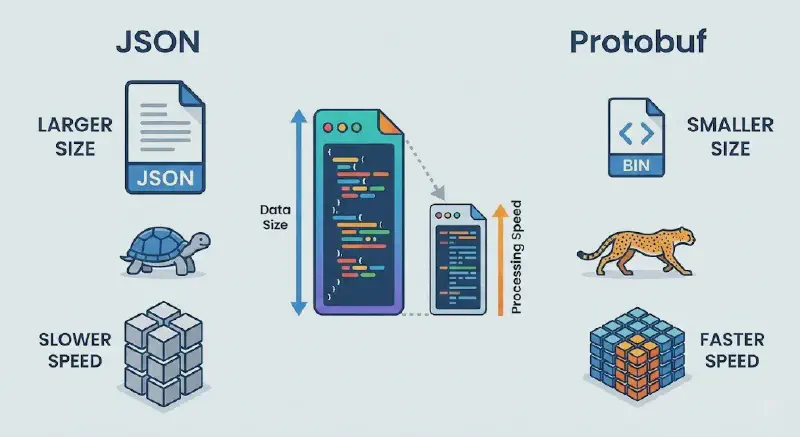
Protobuf compresses data into binary for transmission. The transmission size is much smaller than text-based JSON, and serialization/deserialization speeds are about 3 to 10 times faster. This creates a decisive performance difference in game servers or gRPC communications where real-time processing is critical.
② Strong Schema and Type Safety #
With JSON, you often don’t know if there are typos when sending data. In contrast, Protobuf requires explicitly defining message fields and types in a .proto file. This prevents type mismatch errors beforehand during the development phase.
③ Language Independence (Polyglot) #
With just one .proto file, you can automatically generate dedicated code for various languages like C#, Java, Python, Go, C++, etc. Need to communicate between a C# server and a Python AI model server? Protobuf is the cleanest solution.
3. Practical: Implementing Protobuf in C# #
Let’s look at how Protobuf works step-by-step, assuming a real C# development environment.
Step 1: Define Schema (Writing .proto file) #
First, create a Person.proto file and define the data structure to send. Assign a unique number (Tag) to each field.
syntax = "proto3"; // Use Protocol Buffers version 3

message Person {   // Define data structure
  int32 id = 1;    // Unique number 1
  string name = 2; // Unique number 2
  string email = 3; // Unique number 3
}
Step 2: Compile Code (protoc) #
Compile the defined file using the protoc compiler, and a Person.cs class file immediately usable in C# will be automatically generated.
Step 3: Serialization and Deserialization (C# Code) #
Now you can use the generated class to convert objects to binary (Serialize) or restore them (Deserialize).
// [C# Server Example Code]
using Google.Protobuf;
using System.IO;

// 1. Create Object (Similar to Builder Pattern)
Person user = new Person {
    Id = 1234,
    Name = "Rainshelter",
    Email = "[email protected]"
};

// 2. Serialization: Object -> Binary Stream
// Converted to a byte array much smaller than JSON.
byte[] bytes;
using (MemoryStream stream = new MemoryStream())
{
    user.WriteTo(stream);
    bytes = stream.ToArray();
}

// 3. Deserialization: Binary Stream -> Object
Person restoredUser = Person.Parser.ParseFrom(bytes);
Tip: If using gRPC, even the manual conversion process above is unnecessary; method calls alone perform automatic serialization, enabling high-performance communication over HTTP/2.
4. Disadvantages to Consider Before Adoption (Trade-off) #
Of course, Protobuf isn’t the answer for every situation.
- Readability Issue: Since it’s a binary format, you can’t immediately read it even if you open packets with Wireshark. Separate conversion tools are needed for debugging.
- Setup Overhead: Unlike JSON, you can’t just throw data. The process of writing a
.protofile and compiling it must precede usage.
5. Conclusion: When Should You Use It? #
Protocol Buffers (Protobuf) is a technology that possesses both data efficiency and maintainability.
- Highly Recommended: Internal communication between MSA (Microservices), gRPC server construction, large-scale systems where traffic cost reduction is critical.
- Not Recommended: Simple Web APIs, initial prototypes where humans need to check data directly with their eyes during development.
If you want to build a faster C# server, replace your project’s heavy JSON with Protobuf right now.