
The New Standard
for Image Conversion
Forget slow and complicated conversion tools. Here comes a fast and powerful WebP converter. Just drag and drop your images and videos.

Why Fast WebP Converter?
Overwhelming Performance
Utilizes CPU cores to the maximum with Multiprocessing technology to convert hundreds of images in an instant.
Video to WebP
Lighter and clearer than GIF. Easily convert video files to high-quality Animated WebP.
Lossless & Optimized
Supports both lossless mode without quality degradation and powerful compression options that drastically reduce file size.
Real-time Preview
Check the files to be converted with an intuitive thumbnail grid and manage them selectively.
Easy to Use
Done with drag and drop without complex settings. Anyone can use it easily with an intuitive UI.
Open Source
Transparent code and free license. A project that anyone can freely use and contribute to.
Precise Option Control
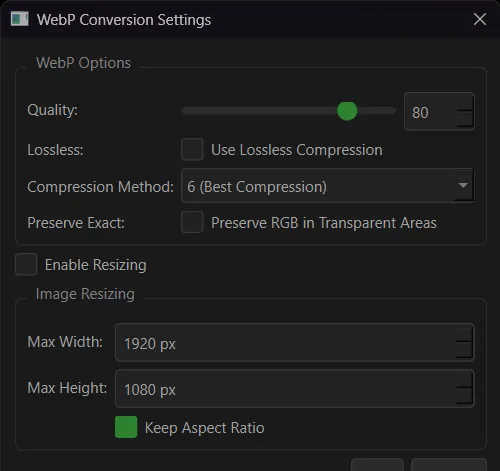
Supports detailed settings for experts such as Quality, Compression Efficiency (Method), and Lossless mode. Resizing to the desired size is also possible.
- ✓ 0-100 Quality Adjustment
- ✓ 6-Level Compression Efficiency Setting
- ✓ Ratio-Preserving Resizing
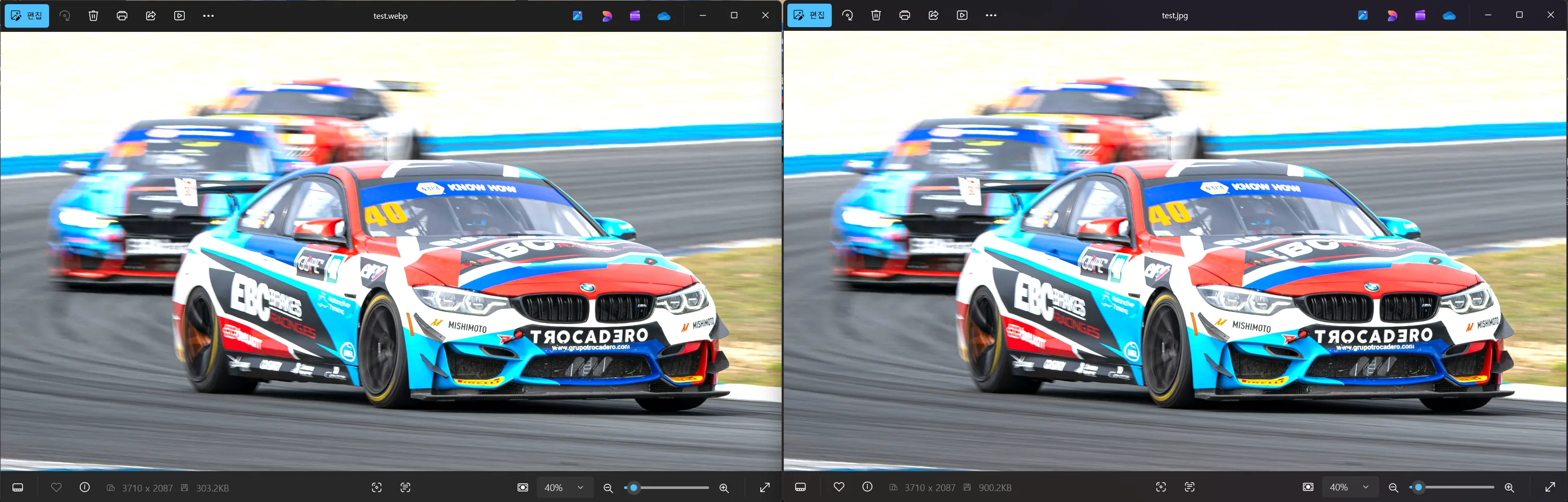
Results at a Glance
Check the conversion progress in real-time and immediately compare the size change of completed files. You can see right away how much the size has been reduced.
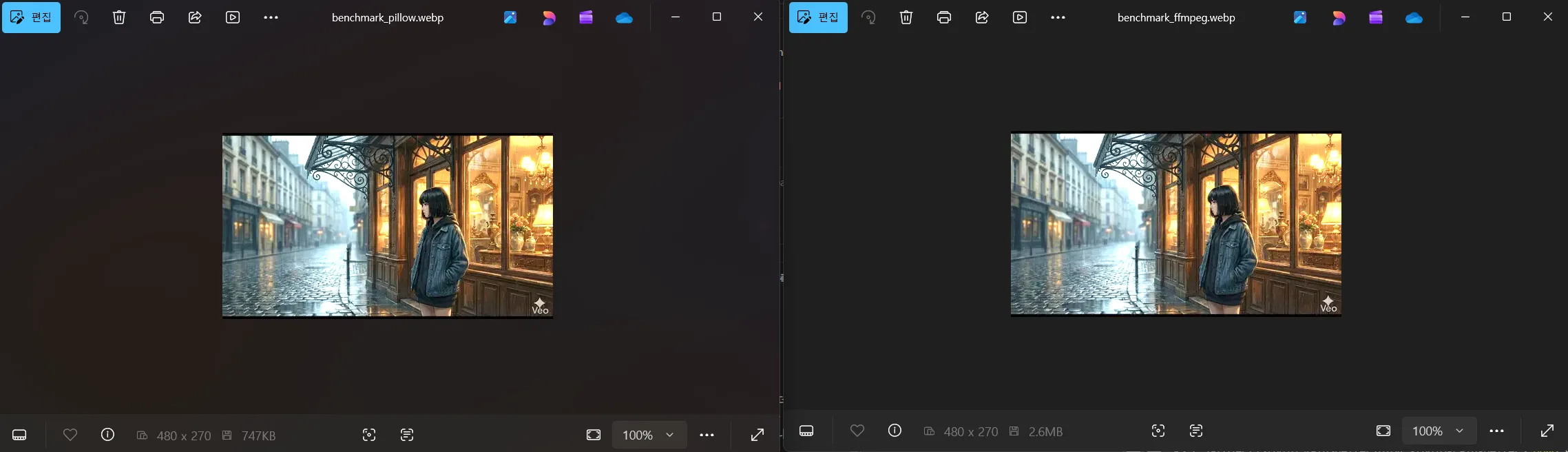
Overwhelming Compression Performance
Combines FFmpeg's frame extraction feature with Pillow's optimized WebP encoder to convert videos to a size about 70% smaller than typical FFmpeg conversion.
- FFmpeg Direct Conversion 2.61 MB
- Fast WebP Converter 0.73 MB (72% Reduction)
Powerful Video Conversion
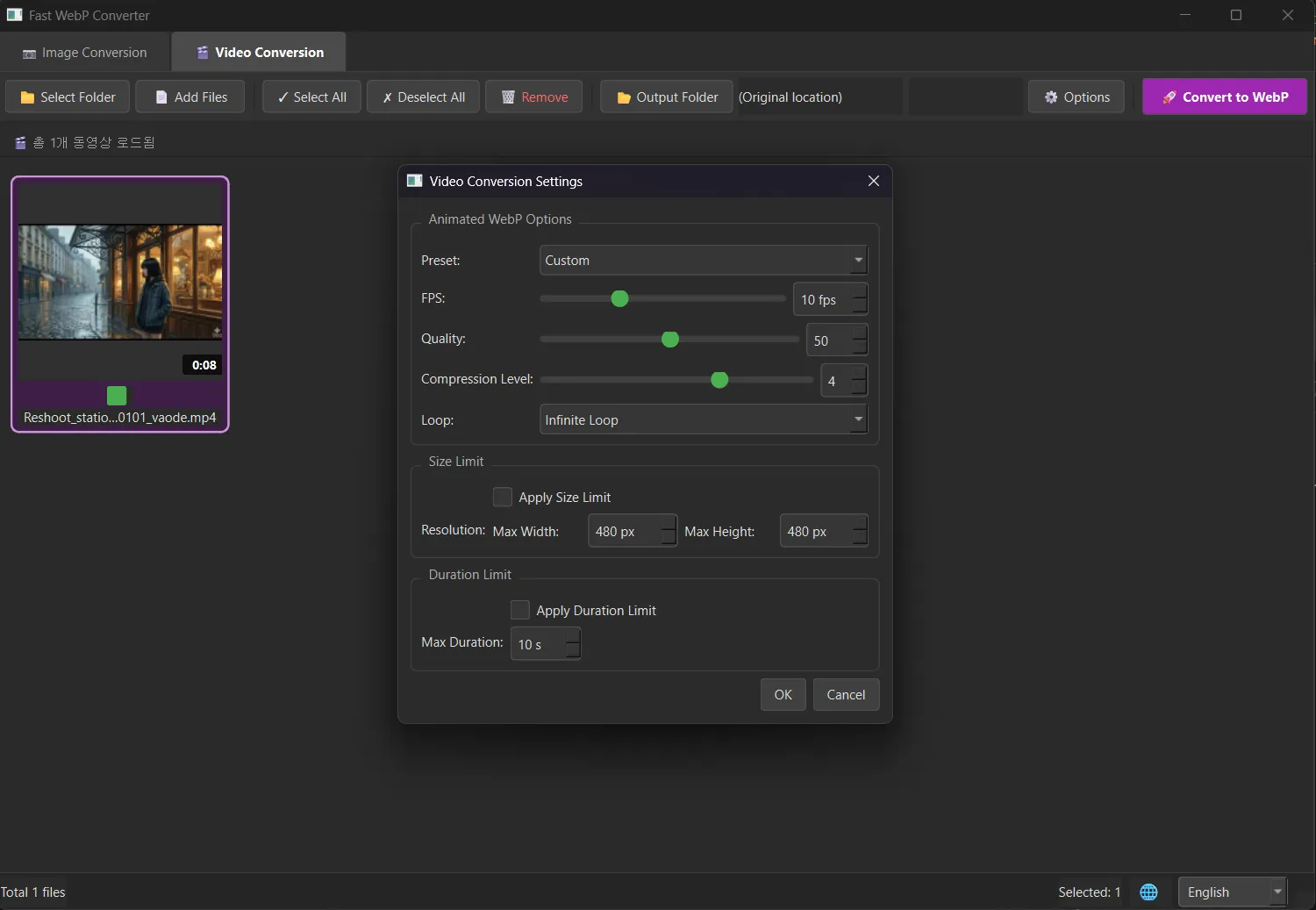
Use Animated WebP instead of animated GIFs. You can easily balance size and quality with the preset feature.
- ✓ 3 Easy Presets (Balanced/High Quality/Min Size)
- ✓ Specify FPS and Loop Count
- ✓ Limit Video Length and Max Size
Installation and Usage
1. Windows Executable
The easiest way. Download the executable and use it right away without installation.
Download Windows Version2. Run from Source Code
You can also run the source code directly in a Python environment.
Technical Specifications
Core
Python 3.10+
GUI Framework
PyQt6
Image Engine
Pillow (PIL)
Video Engine
FFmpeg
License
Apache-2.0 License